Your session’s rhythm
Resume, chapters and automatic next episode.
 nook
Jellyfin and your entire library, together in an experience made for Apple TV. Discover, request, track and press play — one remote, one interface.
Step insidePreparing for launch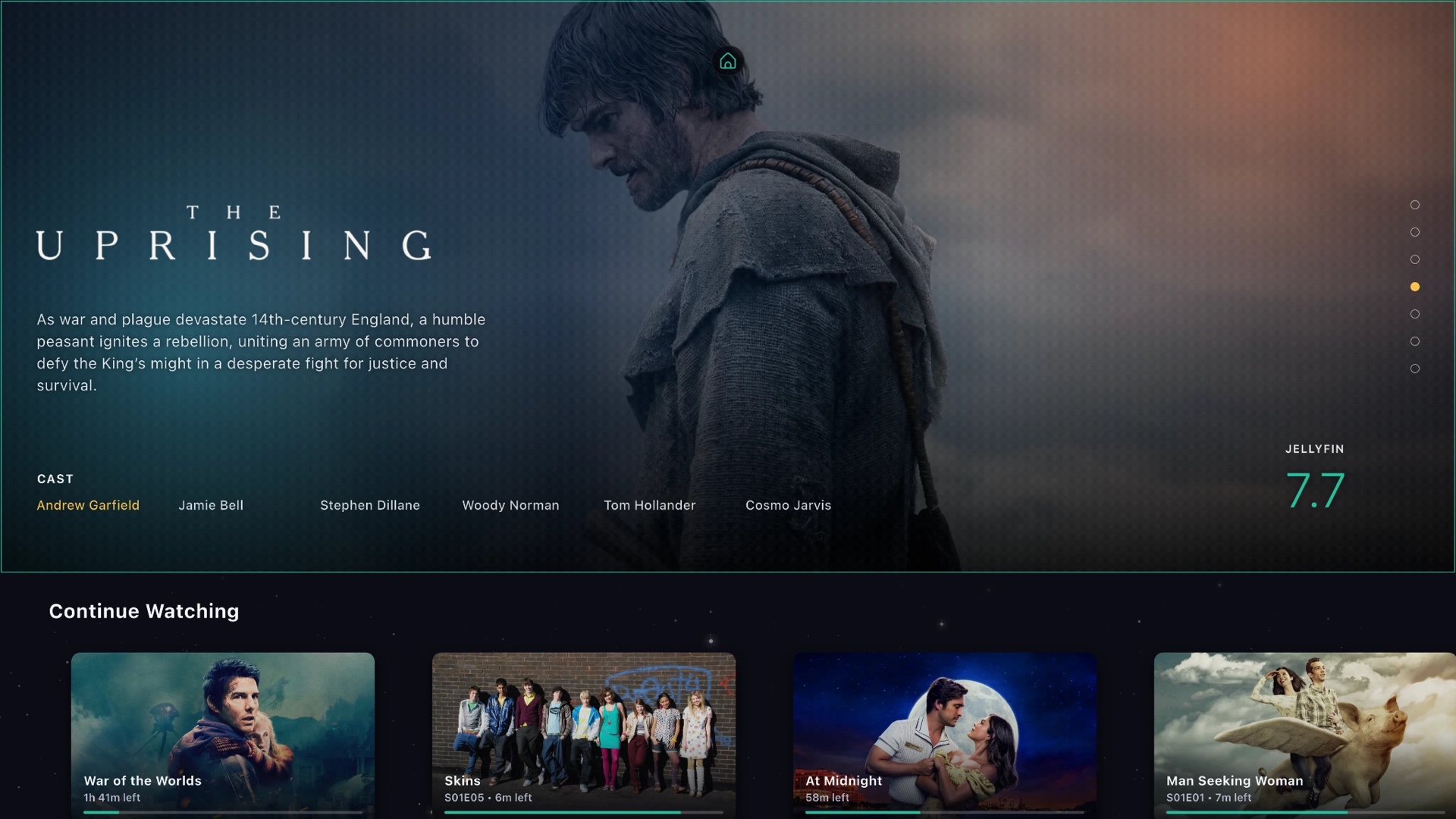
Actual Nook capture on Apple TV. The catalog belongs to the connected server.
Choose a screen. Discover what happens before, during and after play.
 Enlarge screenshot
 Enlarge screenshot
 Enlarge screenshot
 Enlarge screenshot
 Enlarge screenshot
 Enlarge screenshot
 Enlarge screenshot
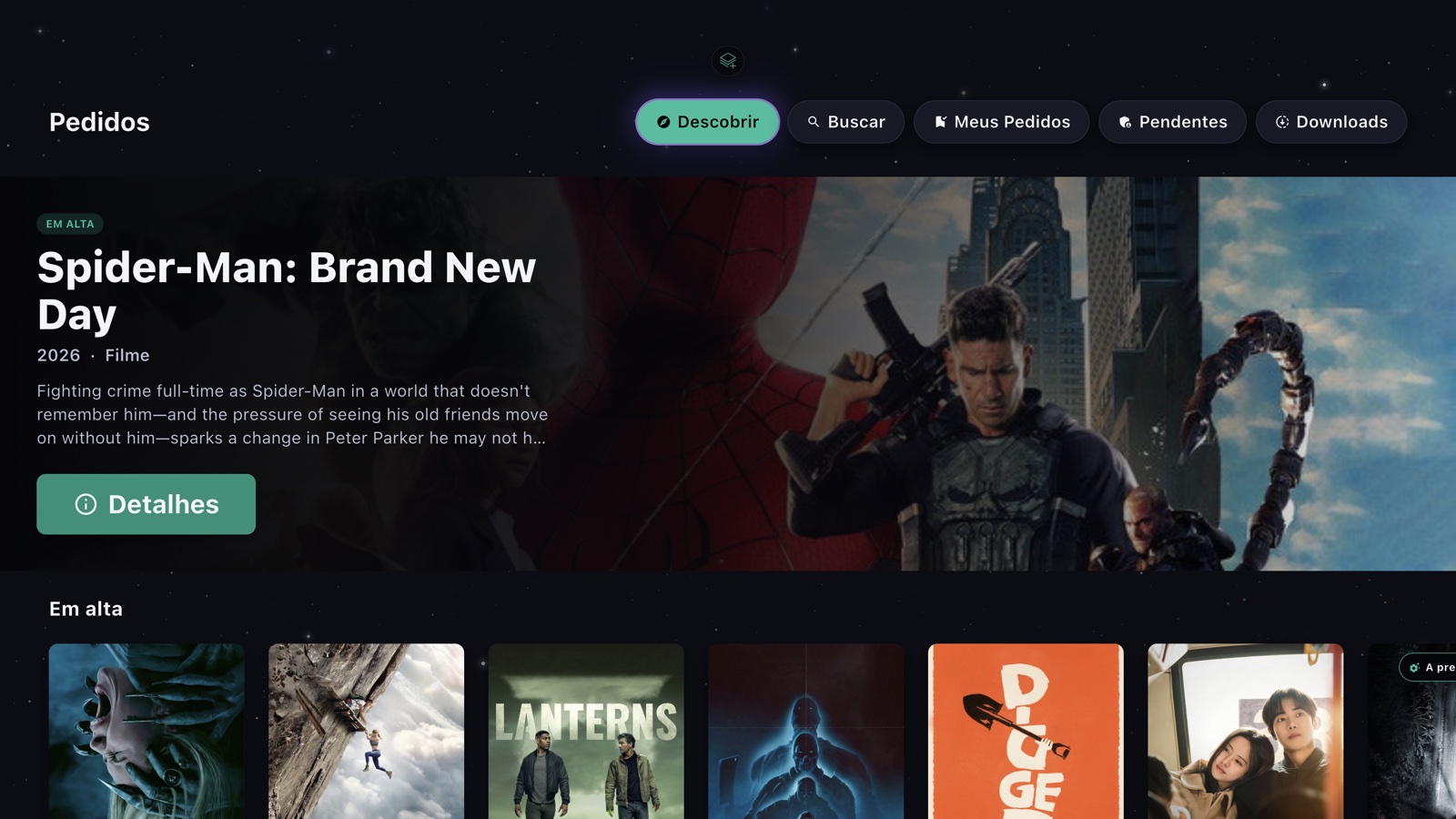
Integrated discovery brings what’s beyond your library into the same interface. Your next film doesn’t have to become a search somewhere else.
Trends, genres, studios and search for titles and people.
Request films or choose the seasons you want to follow.
See pending requests, approvals, downloads and availability.
Once the title is in Jellyfin, your library takes it from there.
Requires a configured request service. Requests, approvals and downloads depend on permissions and connected services.
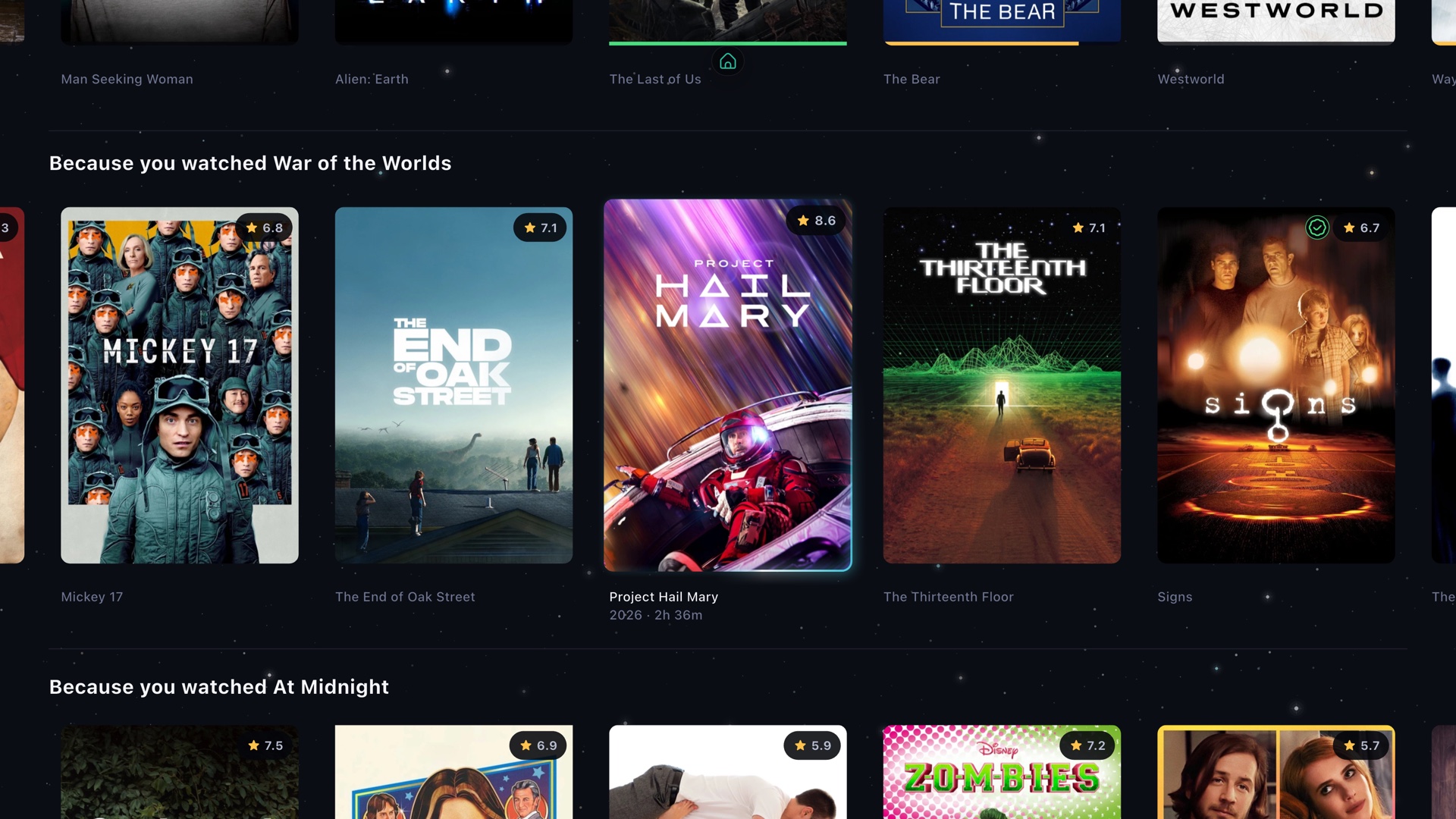
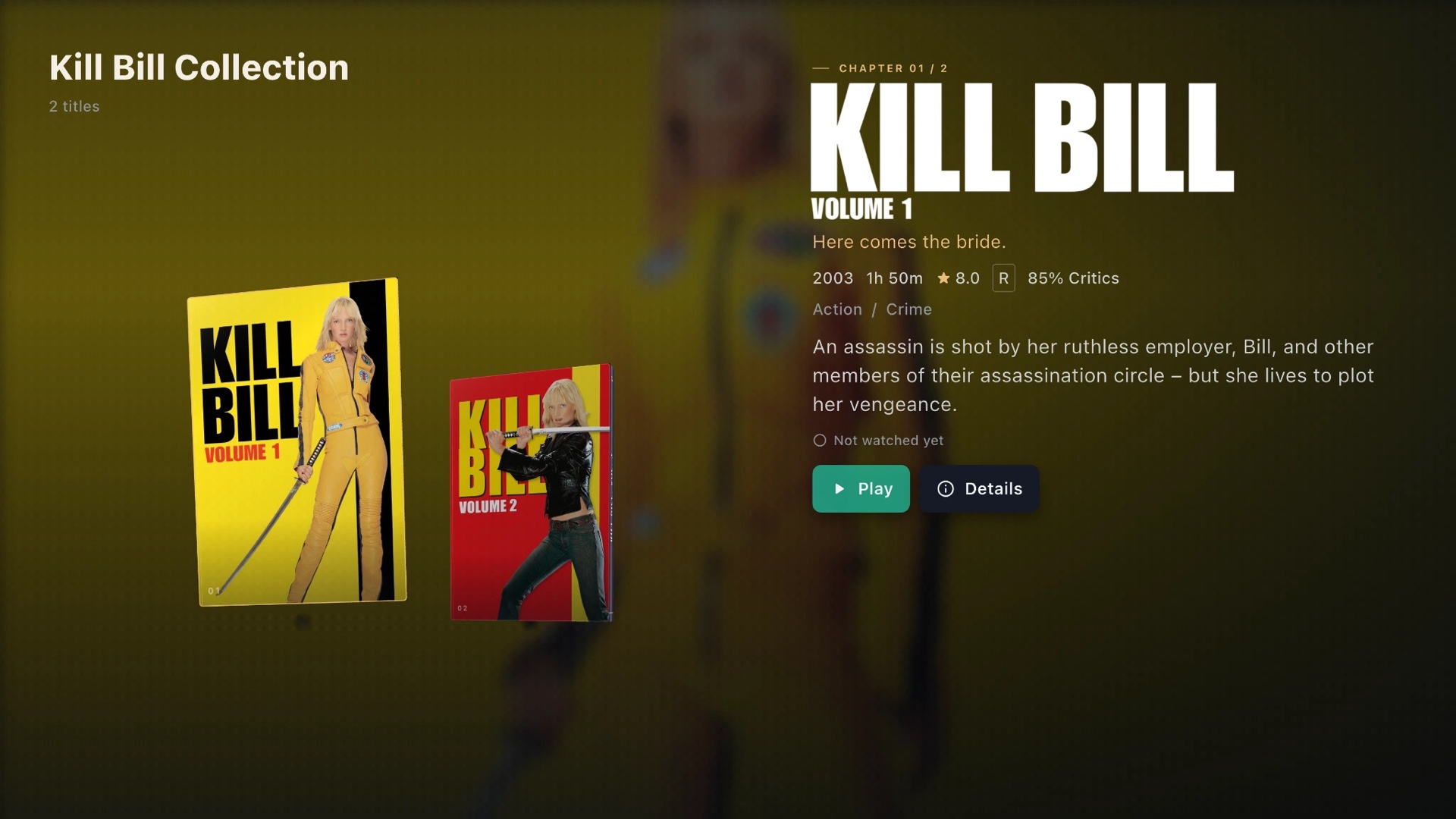
Browse covers in a gallery with depth. Open a collection to choose your next film and explore each title’s details.
Enlarge screenshotThe titles shown illustrate the interface. Nook does not provide movies or shows.
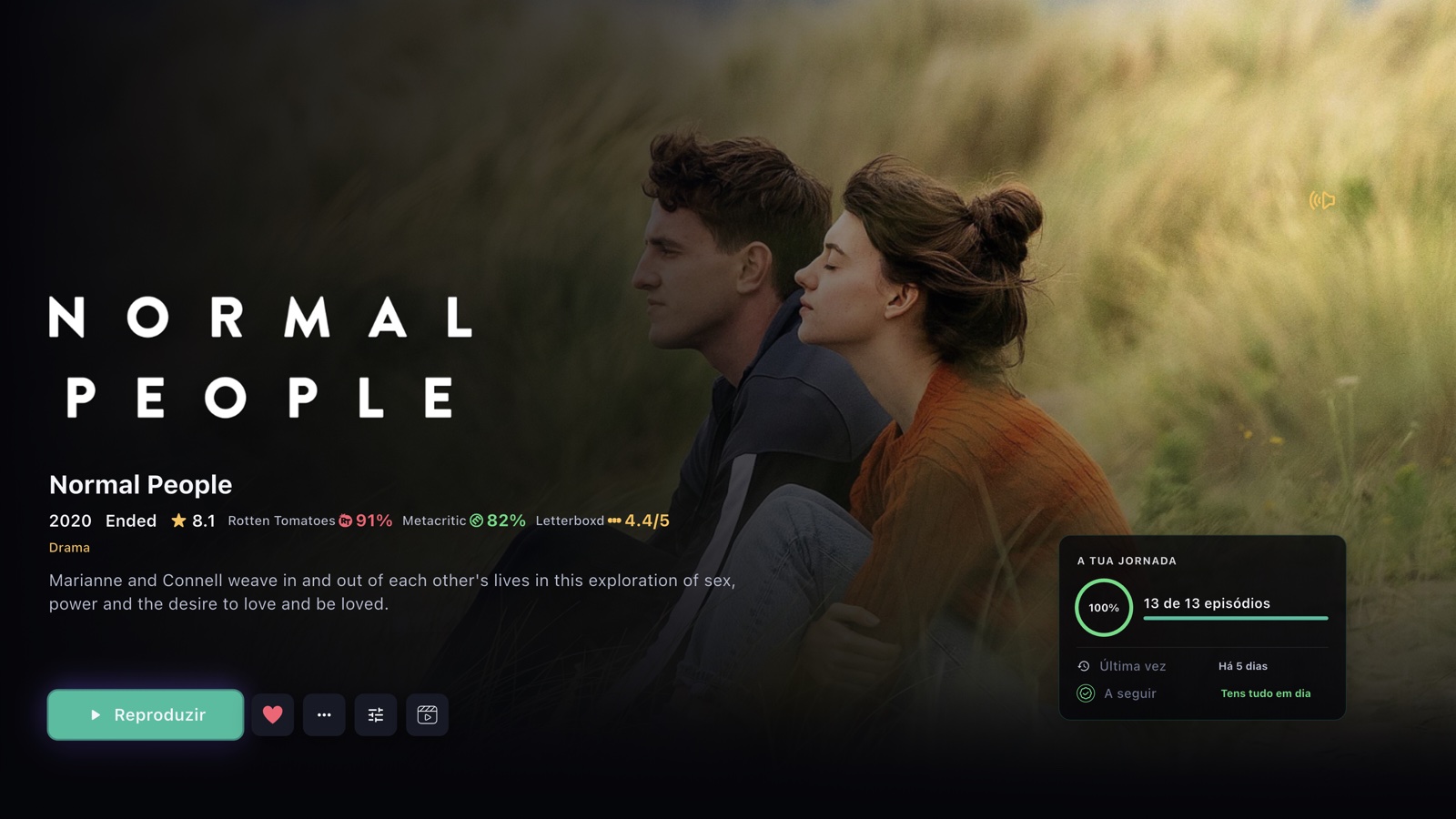
Audio, subtitles, quality, chapters and controls within reach of your remote. Resume where you stopped, explore timeline previews and move to the next episode.
Read a primary and secondary subtitle at the same time. Adjust each one’s style and timing, with preferences saved per profile.
Dual subtitles are part of Nook Pro. The second track must be a compatible text subtitle.
 Enlarge screenshot
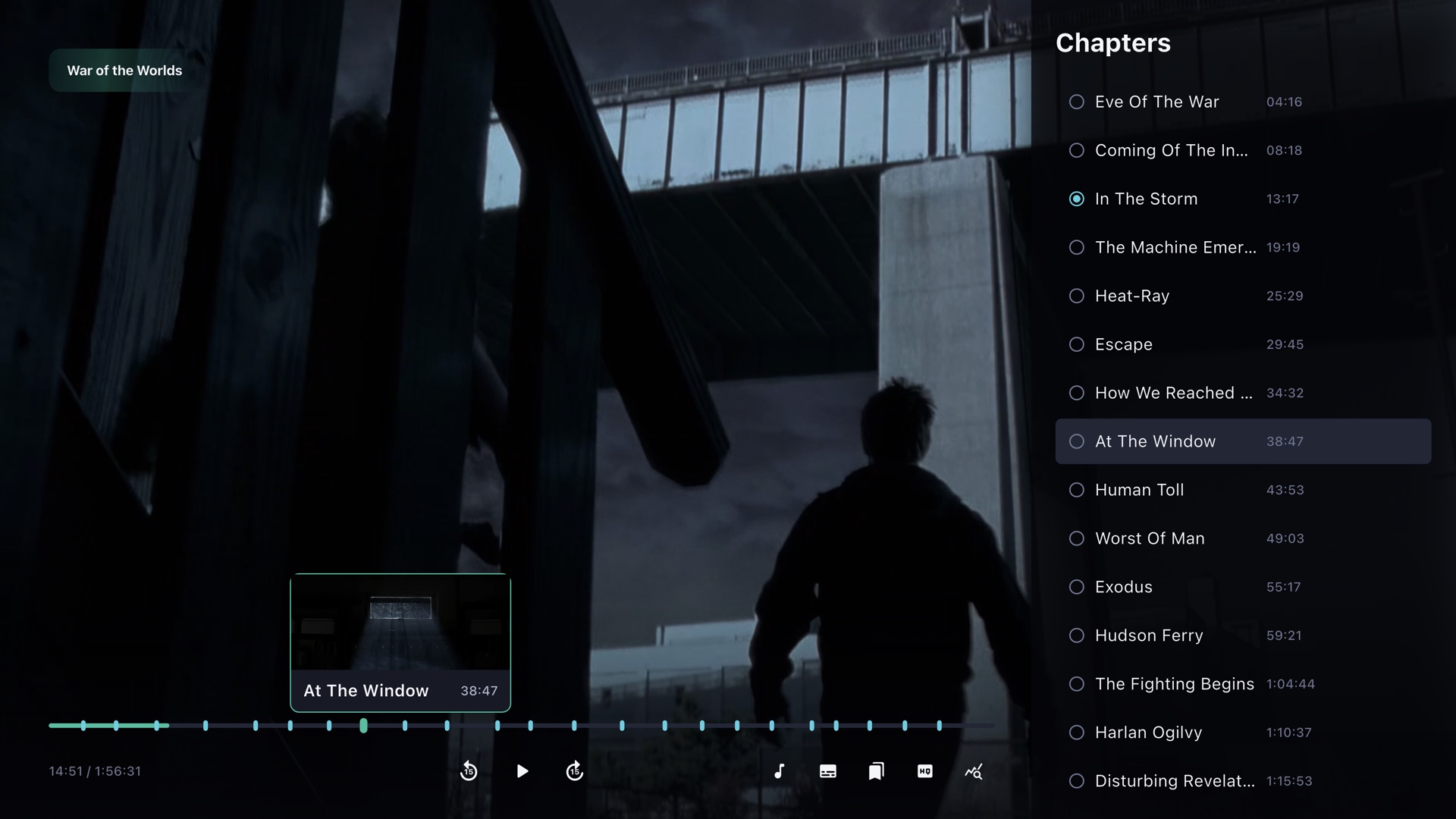
Open chapters and browse the timeline with visual previews. Go straight to the moment you want without losing the film’s context.
Real player on Bedroom: chapters and timeline preview.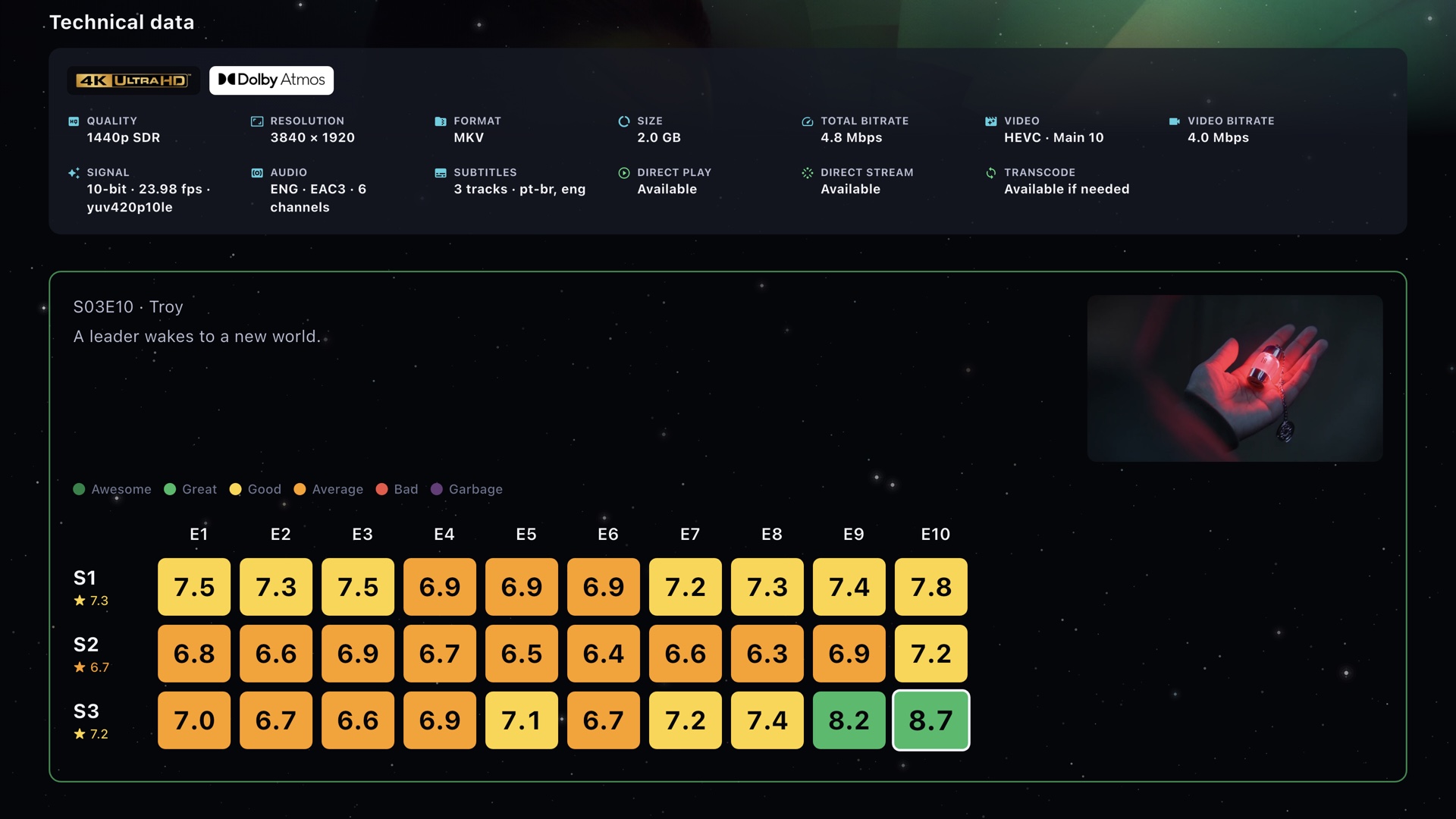 Enlarge screenshot
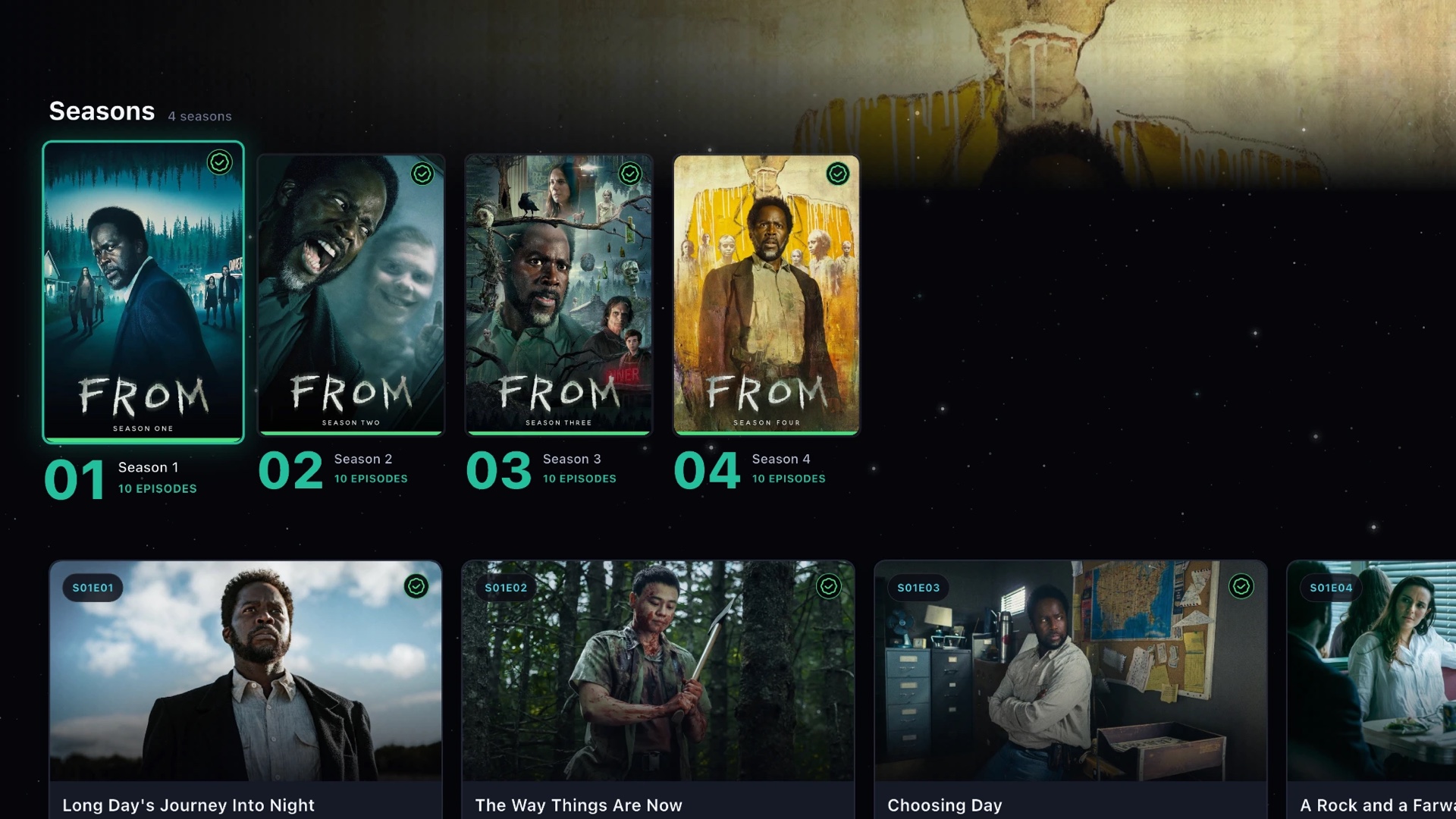
Check resolution, format, codecs and available tracks. For series, episode ratings help you see how each season was received. Data depends on the media and configured providers.
Technical details and episode ratings, captured on Bedroom. Enlarge screenshot
When the server provides media segments, skip the intro with your remote and get back to the story. One less step between you and the episode.
Skip Intro during real playback on Bedroom.Resume, chapters and automatic next episode.
Seek previews and skip intro when the server provides the data.
Choose audio and quality; inspect playback statistics.
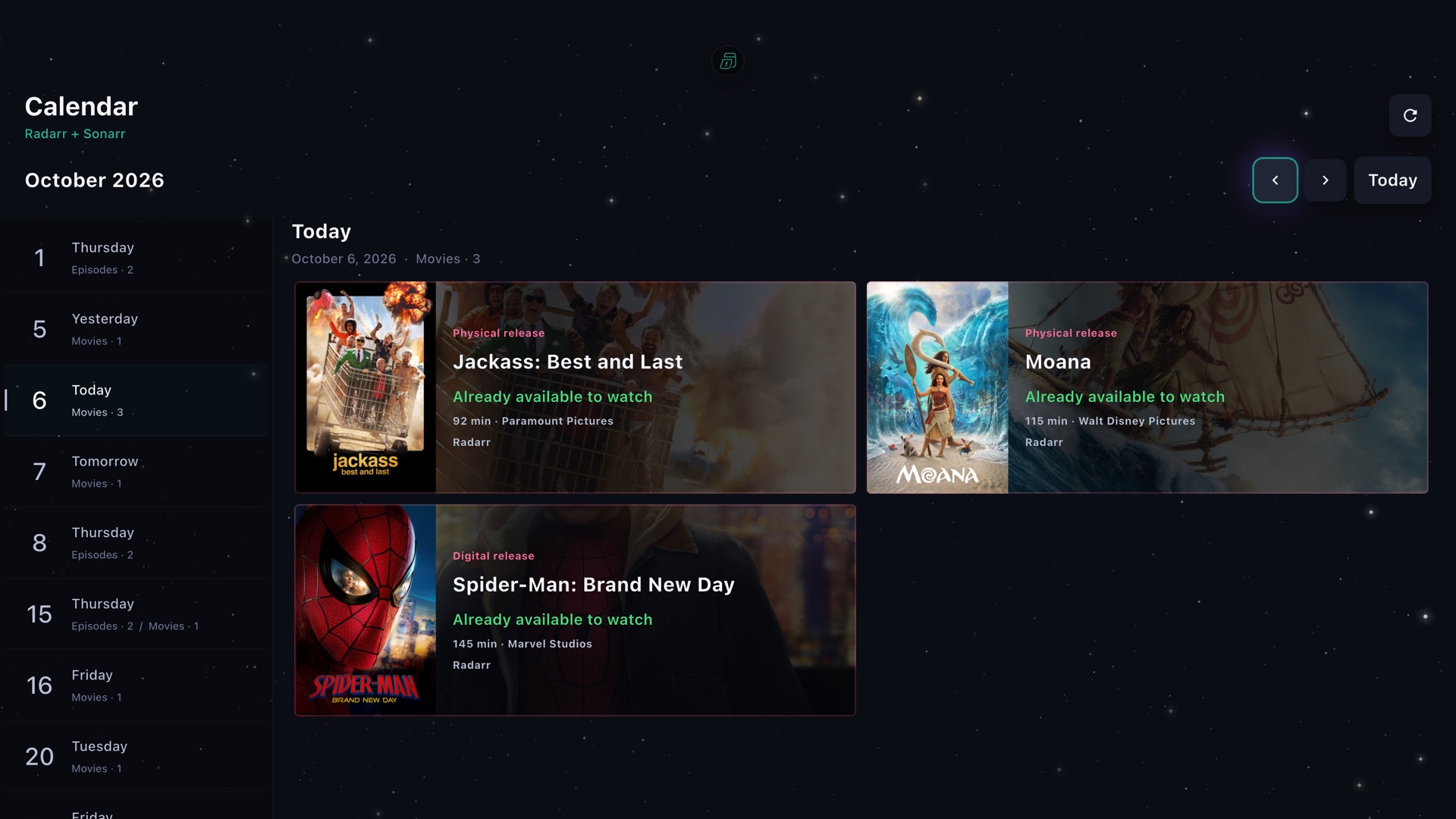
Follow upcoming film and episode releases with the calendar integrated with connected services. See what arrives today, what is coming in the next few days and what is already available to watch in your library.
Enlarge screenshotRequires configured calendar integrations. Dates and availability follow the connected services’ data.
Save more than one Jellyfin server and choose where to connect. Each profile brings its own session, preferences and progress.
Local discovery or a manual address. Known servers remain available for your next visit.
Quick Connect or username and password. Automatic sign-in can be selected for a profile.
Protect entry to a profile with a numeric PIN or a directional sequence on your remote.
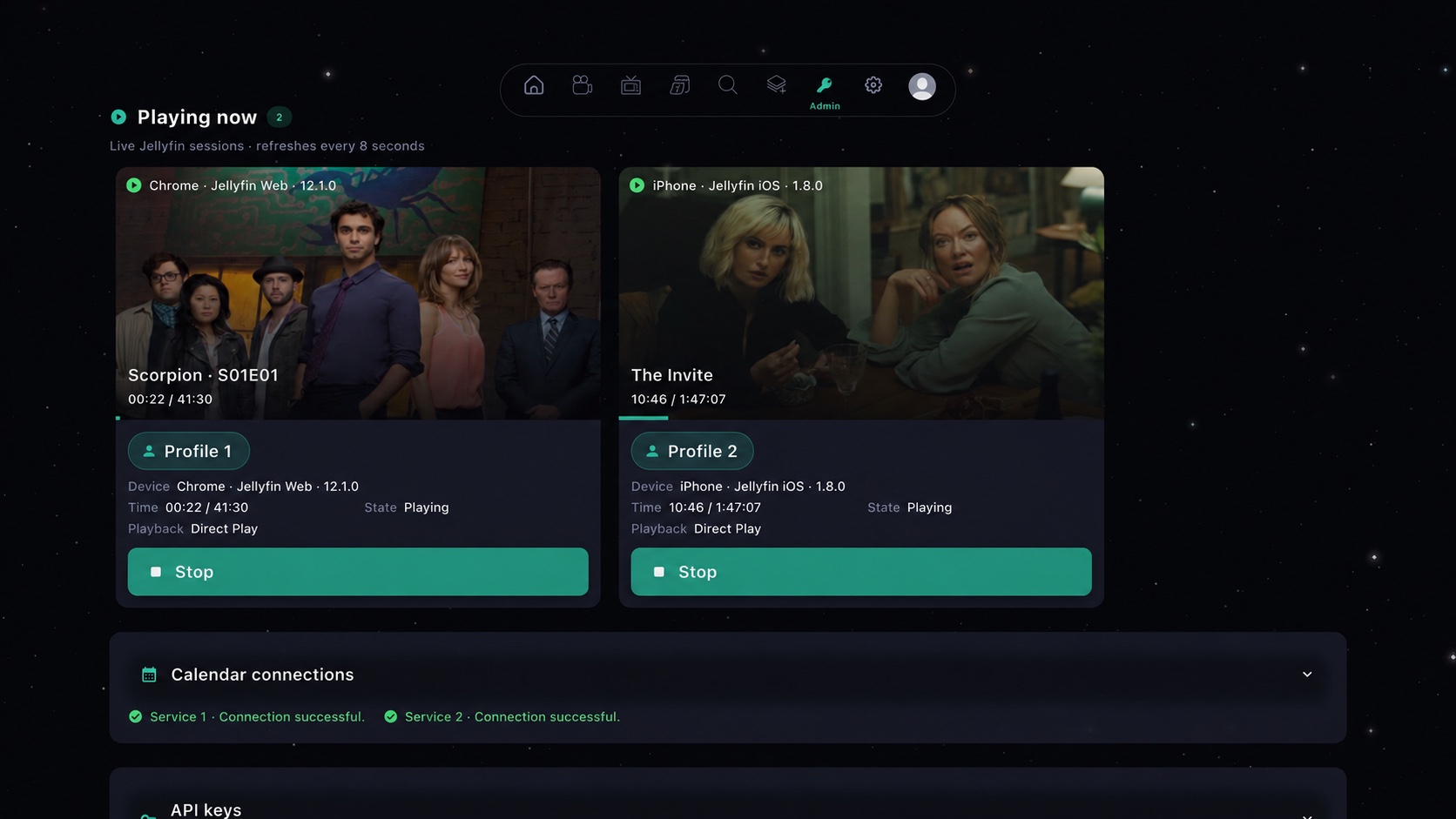
The admin panel brings live Jellyfin sessions into Nook. See the title, user, device and progress of every playback, refreshing every eight seconds.
Available to administrators. This capture shows two active sessions with device, user, progress and Direct Play. Settings are collapsed.
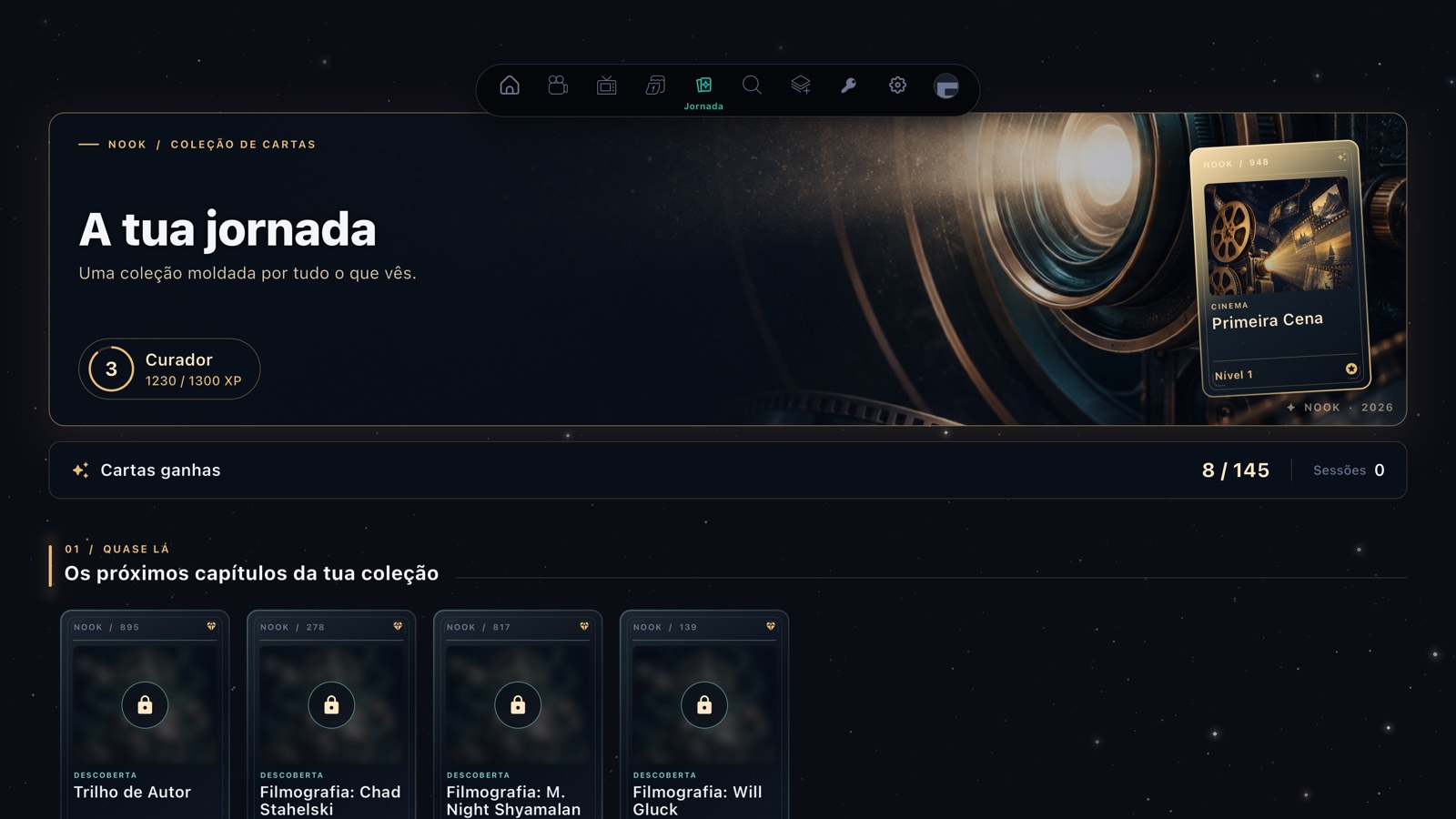
Journey turns your relationship with cinema into a personal collection: XP, ranks, cards and objectives. See what you’ve earned, what’s almost unlocked and the history of your path.
In development, currently visible in debug builds. Basic Journey and advanced Pro features are presented separately in the app.
Create or join a synchronized session with people on the same server. Included in Nook Pro.
Save what you want to watch later. Your next session starts before this one ends. Included in Nook Pro.
Focus navigation, Top Shelf integration and a screensaver with library artwork.
Connect your Jellyfin server, choose your profile and find something worth a night on the sofa.
Discover your server on the local network or enter its address manually.
Sign in with Quick Connect or your username and password.
Explore your movies and shows. The content comes from your library.
Nook is a Jellyfin client for television. It connects to your server to browse and play the movies and shows in your library.
No. You need a Jellyfin server with your own library. The titles in these images demonstrate the interface and are not part of a catalog provided by Nook.
Nook is preparing for launch. This page presents the current Apple TV experience; official installation links will be added when available.
Dual subtitles, SyncPlay, My List and advanced Journey features. Plans and availability will be shown by the store at launch.
Artwork, metadata, navigation previews and intro skipping depend on your content and server capabilities. Some integrations also require their own setup.
A new experience for your Jellyfin library. Preparing for launch.
Back to the experience